 HarutoStudio
What is one of the biggest worries when managing a Discord server?
Not arguments or sticker spam, but compromised accounts spreading scam messages at scale.
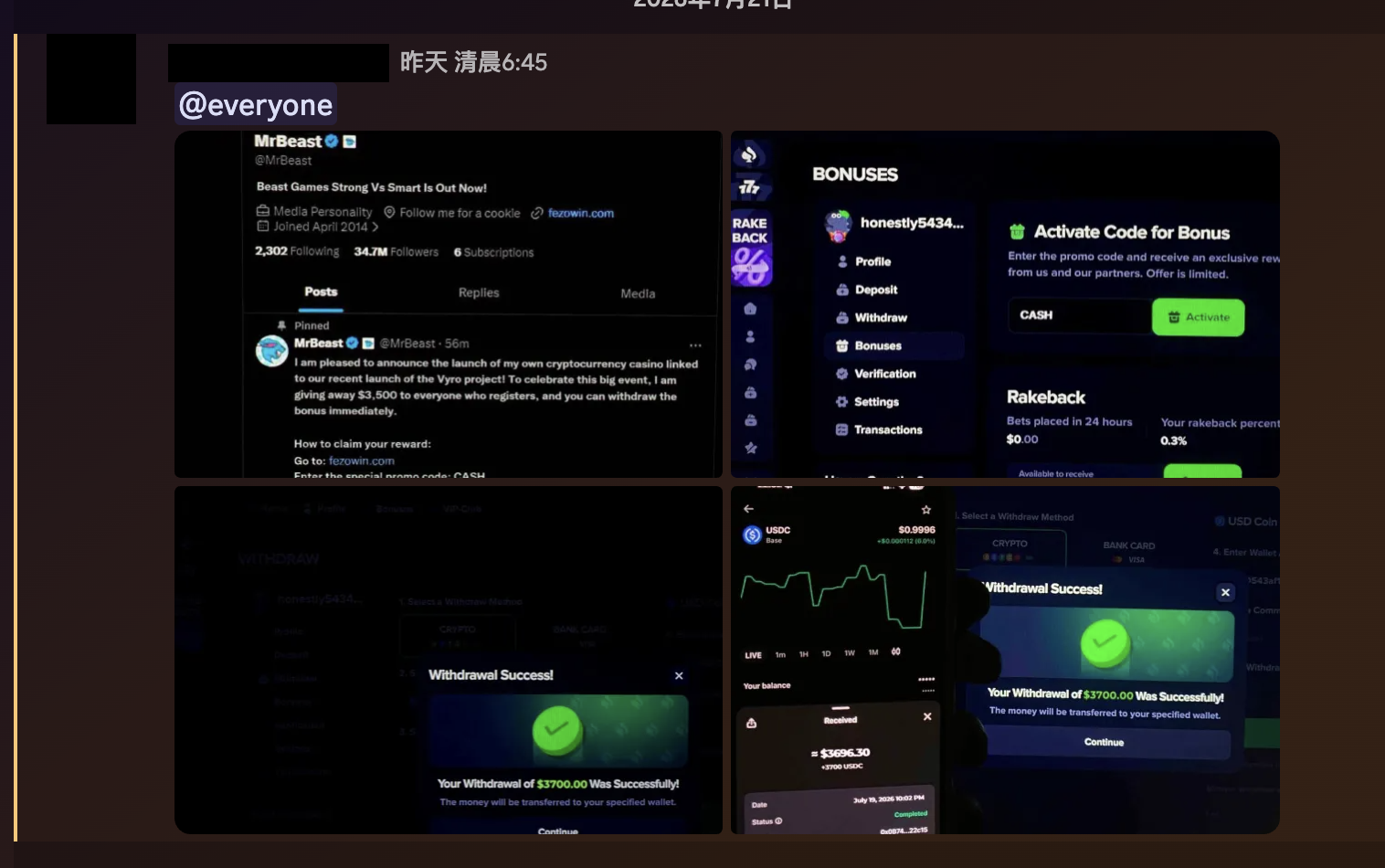
An administrator wakes up to find chat flooded with fake giveaways, fake Nitro offers, and QR-code scam images. Then comes manually deleting each message, handling the accounts, and worrying whether someone has already clicked a link.
If this has happened to your server, there is now an easier way to respond.
nekoHaru’s Message Guardian acts as soon as it detects scam images or compromised-account spam, helping administrators stop scams from spreading early.
What is Message Guardian?
Message Guardian is an automatic protection feature designed specifically for Discord scam images and spam.
When someone sends an image, it checks two things:
- Known scam images: Compare against a verified scam-image database and act on a match.
- Spam behavior: After taking over an account, scammers often post the same images to multiple channels within a short period. This pattern can be blocked even if the image is new and not yet in the database.
Once a scam is detected, the system follows your settings to:
- 🗑️ Delete scam messages (optional)
- 🔇 Give the sender a one-hour timeout (optional)
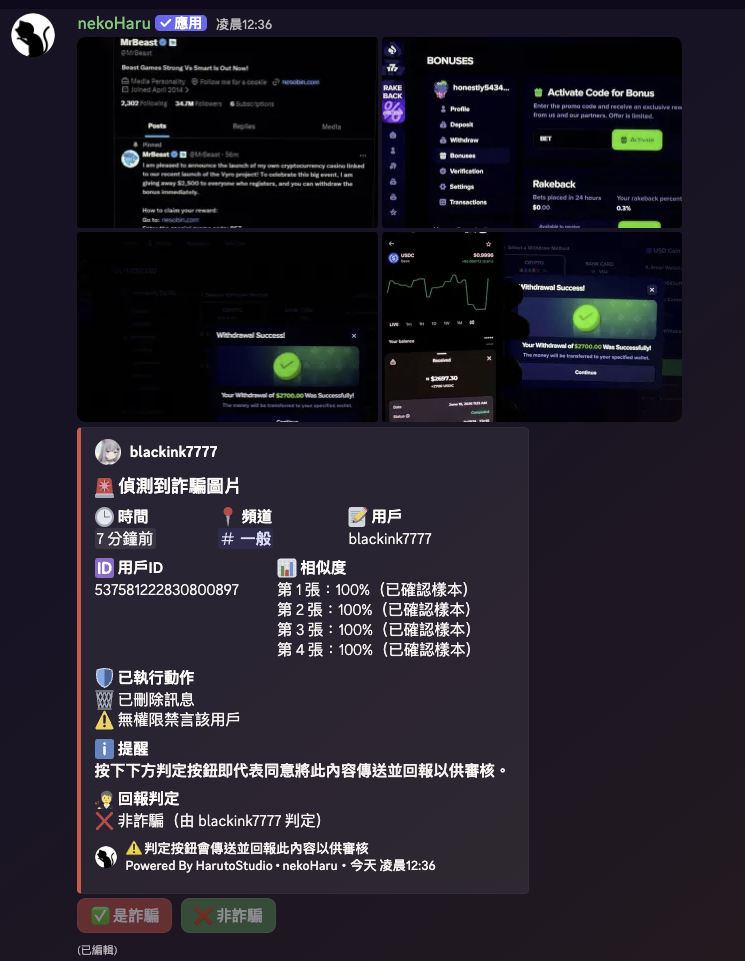
- 📢 Send a notification card to the warning channel so administrators can review the result
Timed-out members also receive a direct message from nekoHaru explaining the reason and what to do if their account may be compromised: change the password, enable 2FA, remove suspicious authorized applications, and so on.
Members with “Administrator” or “Manage Messages” permissions are exempt from automatic action, so moderators can share scam examples for discussion without worrying about an accidental timeout.
Common examples include:
- Fake free Nitro offers
- Fake giveaways
- Fake Steam or Discord gifts
- QR-code scam images
- Identical images widely spread by compromised accounts
- Recently circulating spam images
No more deleting messages one at a time
Previously, a compromised account often meant administrators had to:
- Search every channel for scam messages
- Delete each message manually
- Time out the offending account manually
- Worry about missing a channel
- Worry that someone had already opened the scam content
Message Guardian can now handle these repetitive tasks.
Administrators can review the notification card and confirm the result:
- Delete all scam messages with one click: Clear messages from the same spam wave across multiple channels at once
- Remove a timeout: Immediately lift a timeout if it was a misunderstanding
- Report whether it is a scam: Feed your judgment back to the system to improve recognition
This greatly reduces time spent on manual moderation.
Privacy protection: your message content is not stored
We take user privacy seriously.
Message Guardian does not save original images or chat text.
For detection, the system calculates an image “fingerprint”: a sequence of numbers used to compare similarity that cannot be reconstructed into the original image. Only fingerprints of images identified as scams are recorded, to protect other servers using nekoHaru.
In other words, ordinary chat content is not collected or made into a database during normal use.
Found a new scam image? Help us keep detection up to date
Online scams change every day.
Please report any of the following to our Discord community:
- New types of scam images
- Scams the system has not recognized
- Images incorrectly flagged
Your reports help us update detection data and protect more Discord communities.
For help with false positives, see the documentation FAQ.
How to enable it
Get started in a few steps:
1️⃣ Invite nekoHaru to your Discord server.
2️⃣ Open the dashboard and sign in.
3️⃣ Select your server.
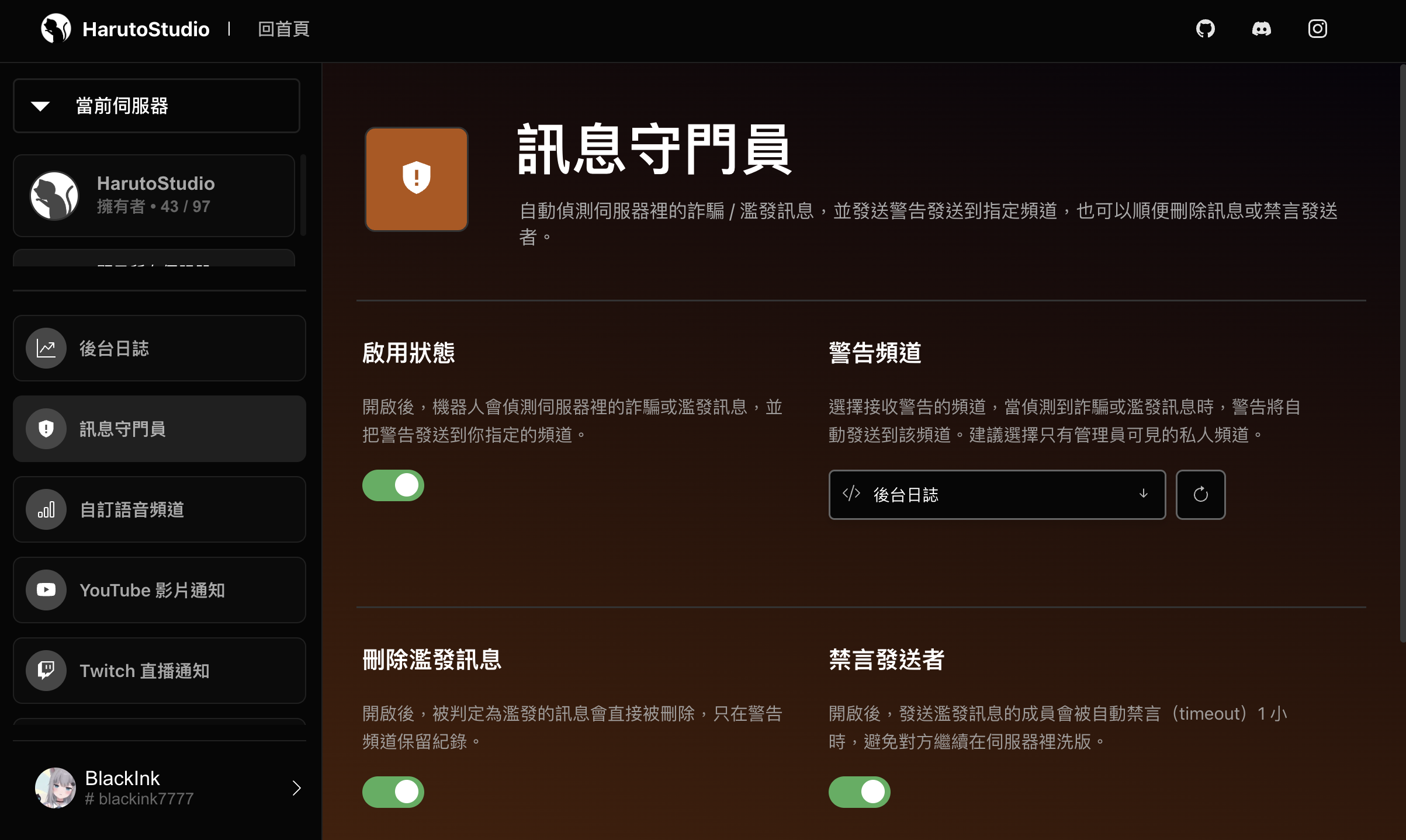
4️⃣ Open “Message Guardian” and choose a “Warning channel.” A private channel visible only to administrators is recommended.
5️⃣ Turn on “Enabled.”
6️⃣ Enable “Delete spam messages” and “Timeout sender” as needed.
7️⃣ Save settings to start protection.
Compromised accounts can be difficult to prevent, but scam messages can be stopped from spreading sooner.
Let nekoHaru Message Guardian detect scam images and compromised-account spam, automatically delete messages, time out offending accounts, and notify administrators, making Discord server management easier and more reassuring.
This article was translated from Traditional Chinese by AI. Meaning or wording may differ; please refer to the Traditional Chinese original as the authoritative version.