 HarutoStudio
Want automatic Twitch live alerts in your Discord server? nekoHaru is a Chinese-language Discord bot that supports both stream-start and new-follower notifications, helping your community take part in your channel’s growth without missing a stream or follow. It is easy to use, with a Chinese-language dashboard and management features that simplify community administration.
What are Twitch stream notifications?
Twitch notifications from nekoHaru let your Discord server follow specific Twitch channels and automatically receive updates when events occur.
Currently supported:
- Twitch live alerts: Automatically notify Discord when a stream starts
- Twitch new-follower notifications (beta): Notify Discord when someone follows
- Separate Discord destinations: Send different events to different text channels
- Custom notification text: Include variables such as the streamer’s name and channel URL
- Chinese-language dashboard: Set everything up without writing code
For Twitch streamers, VTubers, and Discord community managers, this reduces the work of posting announcements and managing notifications manually.
Twitch new-follower notifications
In addition to live alerts, nekoHaru supports Twitch follower notifications.
When someone follows your Twitch channel, Discord can automatically post a message like this:
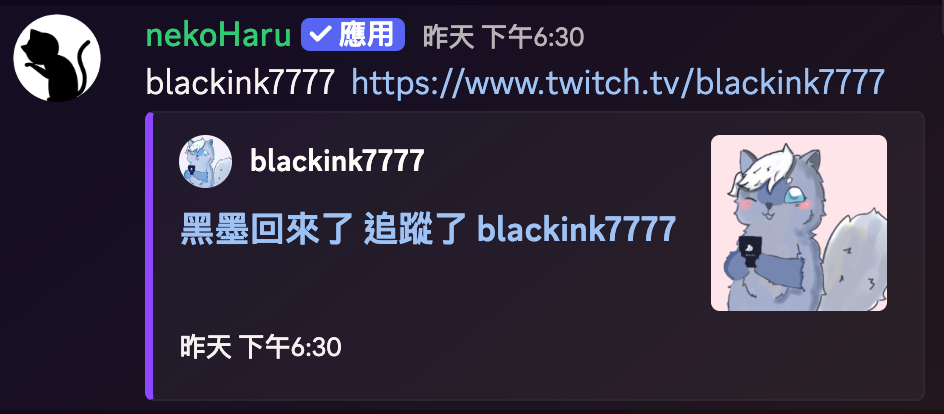
This can help improve:
- Community interaction
- Visibility for new viewers
- Discord activity
- A shared sense of participation in the stream’s growth
For small and medium-sized Twitch channels in particular, sharing new follows helps the Discord community feel involved.
How to set up Twitch live and follower notifications
If you are using Twitch Notify for the first time, follow these steps.
1️⃣ Select your Discord server
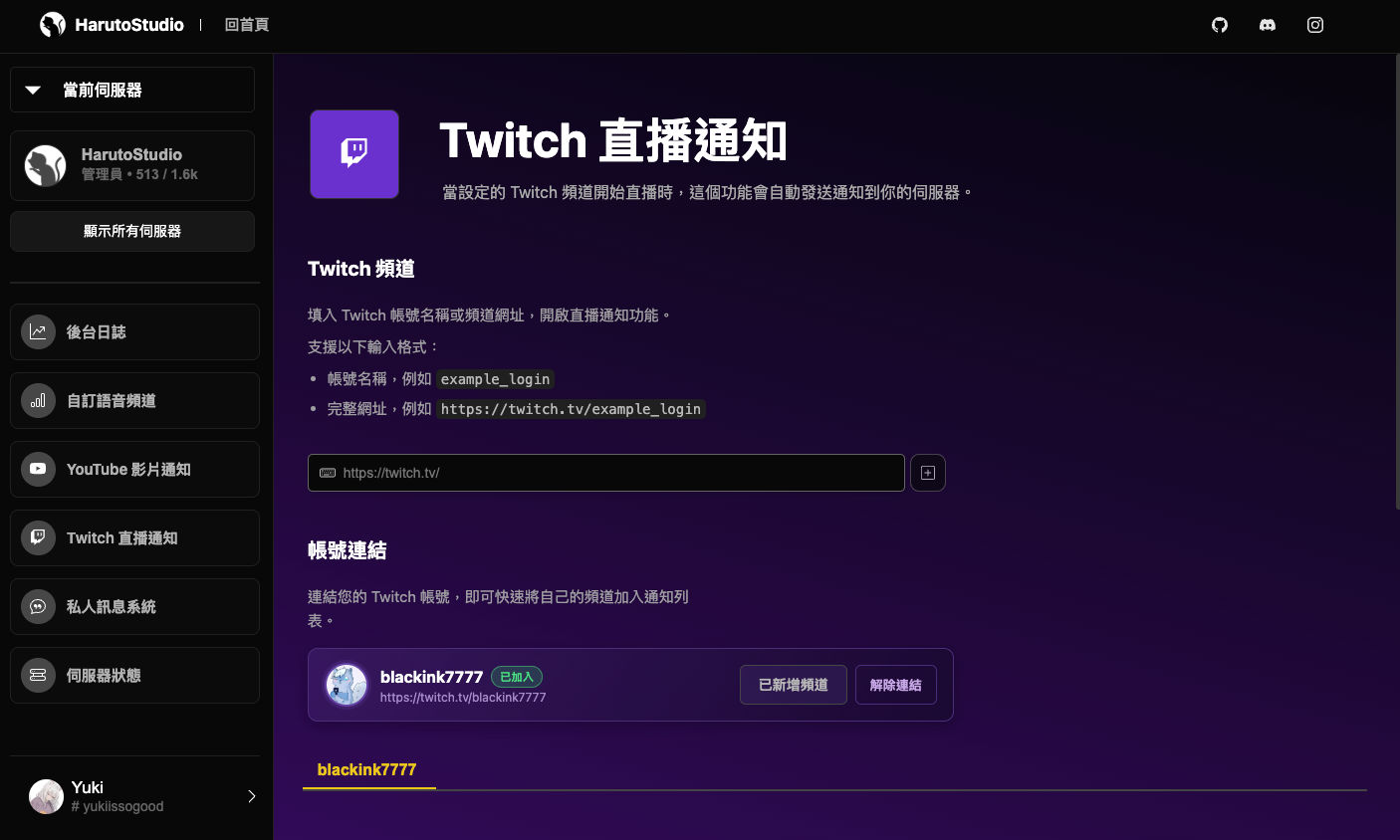
After signing in to the dashboard, the left sidebar shows the Discord servers you can manage.
Select the server where you want Twitch notifications.
2️⃣ Add a Twitch channel to follow
Open “Twitch stream notifications” and enter one of the following in the field at the top:
- A Twitch channel name
- A complete Twitch channel URL
For example:
example_loginhttps://www.twitch.tv/example_login
Click the “+” button on the right to add the channel. The system automatically looks up its information and creates notification settings.
3️⃣ Link your Twitch account (required for follower notifications)
To enable follower notifications, first link your Twitch account.
In “Account linking,” click “Link Twitch.”
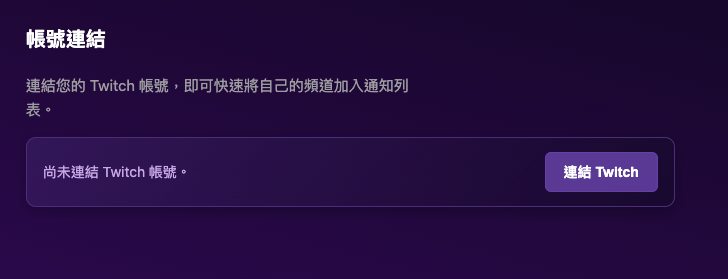
After you complete Twitch OAuth authorization, your Twitch channel appears on screen.
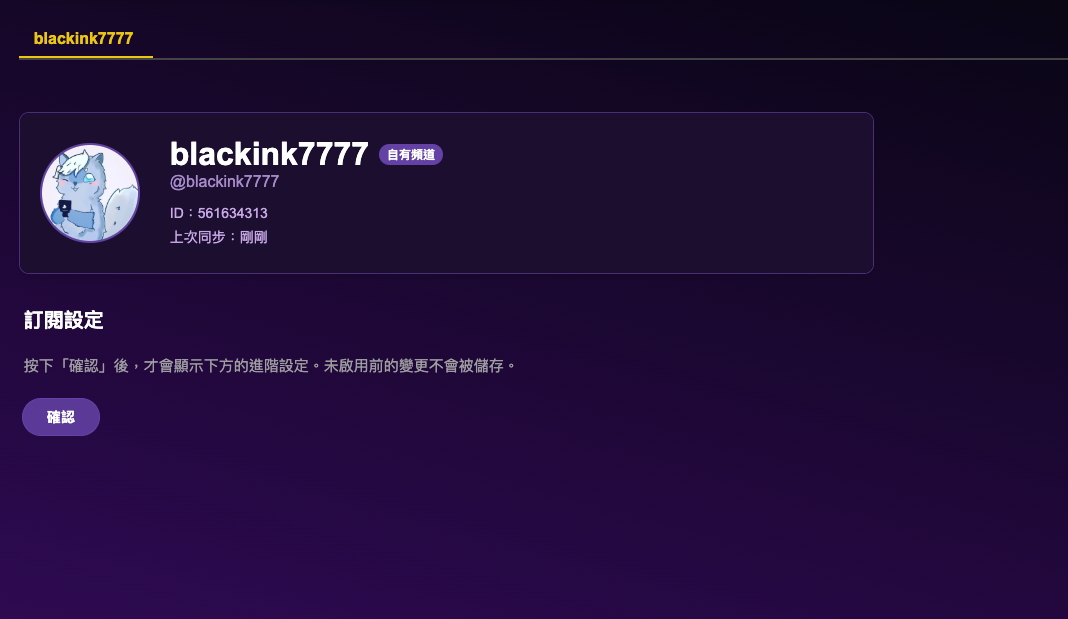
You can quickly add your channel to the notification list and confirm that you are signed in to the correct Twitch account.
Follower notifications must be authorized by the owner of that Twitch channel.
4️⃣ Enable Twitch notification events
After adding a channel, expand its notification settings.
Currently supported:
- Stream-start notifications
- Follower notifications (beta)
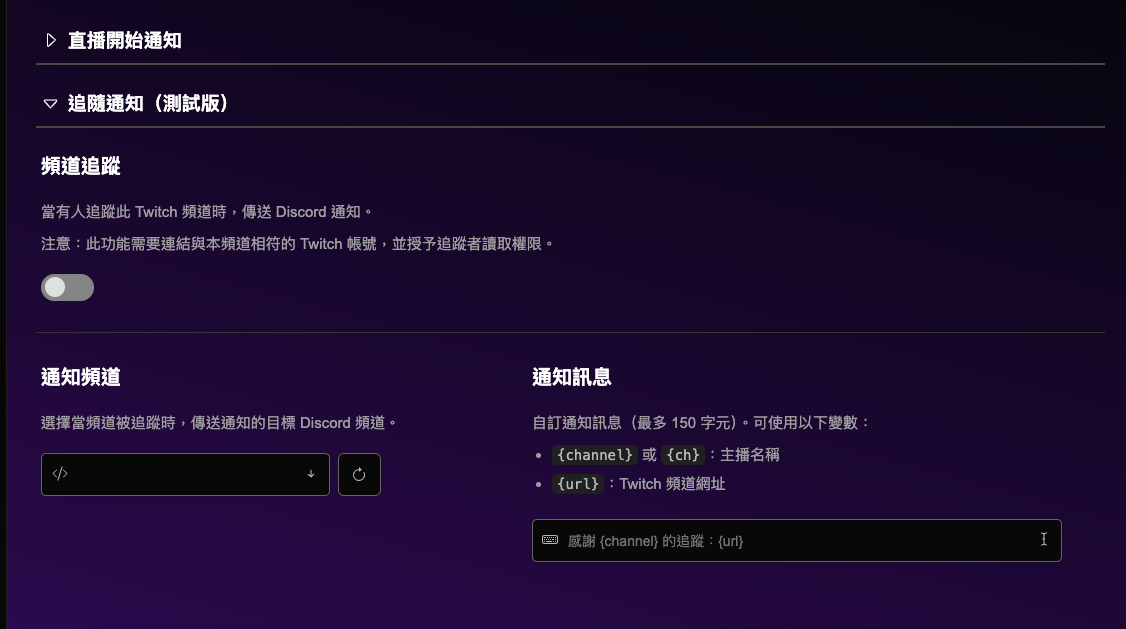
For each event, you can separately configure:
- Whether it is enabled
- The destination Discord channel
- A custom notification message
You can use these variables in place of the default message:
{channel}: Twitch streamer name{url}: Twitch channel URL
5️⃣ Receive notifications automatically
Once configured, Discord automatically sends notifications to the selected channel when the Twitch channel:
- Starts streaming
- Receives a new follower
Follower notifications cannot be enabled correctly without completing Twitch authorization.
Why do Twitch follower notifications require authorization?
Twitch’s official API restricts access to follower data. To obtain:
- Who followed the channel
- Follower names
- Follow events
Twitch requires:
Authorization by the owner of that Twitch channel.
Therefore:
- Live alerts do not require Twitch authorization
- Follower notifications require the channel owner to sign in and authorize access
If authorization expires, permissions are missing, or the signed-in account is not the channel owner, the system asks you to link Twitch again.
Invite nekoHaru to your server today and keep your Discord community up to date with Twitch events!
This article was translated from Traditional Chinese by AI. Meaning or wording may differ; please refer to the Traditional Chinese original as the authoritative version.