 BlackInk

1. What is Discord?
Discord began as a real-time voice and text chat tool for gaming communities. It now offers community servers, direct messages, video calls, bot integrations, and file sharing. Its free, cross-platform, intuitive design has attracted communities and open-source teams, and some businesses use it for internal communication and collaboration. Work, however, often involves confidential documents and personal data. Before choosing a tool, consider whether its convenience also meets your security needs.
2. Why pay attention to the attachment CDN?
When you upload images or documents to Discord, they are stored at https://cdn.discordapp.com/attachments/…. The URL can be opened directly in a browser without signing in.
As early as 2020, users raised concerns in the official forum about files remaining externally accessible after deletion and called for permission checks and proper deletion mechanisms. Discord forum
3. How the CDN works and common misconceptions
“Files remain after messages are deleted.”
- This was verified in earlier cases. Discord later made changes, and external access after deletion now shows “This content is no longer available.” in many situations. Removal is not instantaneous, however: it depends on backend processing and cache updates. BleepingComputer report
“If links expire, everything is safe.”
- The CDN is still public. Anyone who copies a link elsewhere beforehand can access it while it remains valid. Old links and URLs in bot logs may also be retained for a long time.
“The URL is too long to guess.”
- Its format is
{channelId}/{attachment_id}/{filename}. The channel ID and filename may be predictable or public; the randomattachment_idis the difficult part to guess. Brute-force success is extremely unlikely, but not impossible.
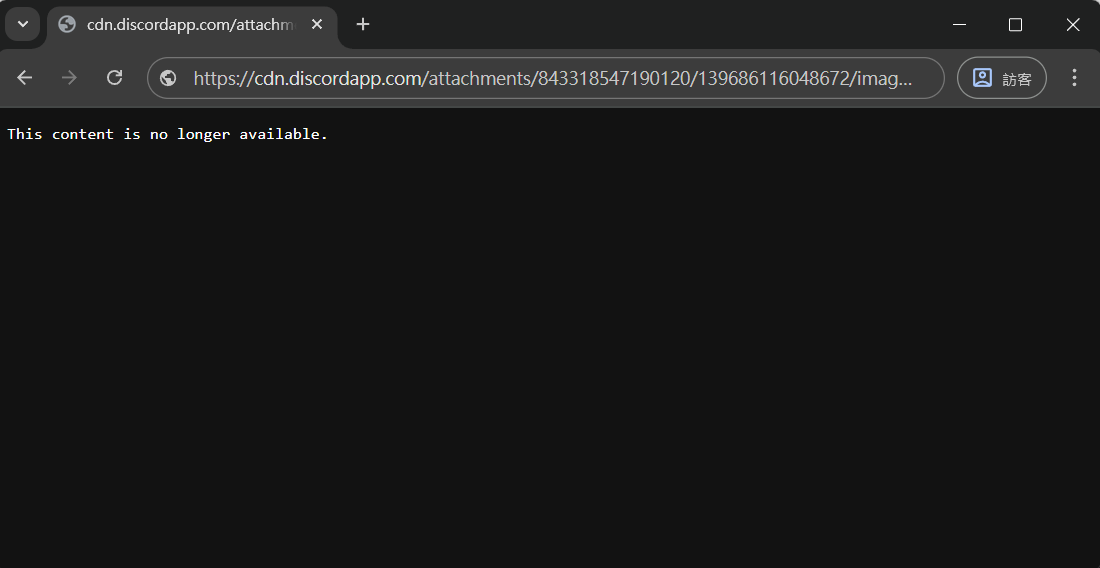
Hard to guess does not mean impossible to leak. A copied link or a URL recorded by a bot or logging system may provide another route to access.
4. Real risks: from URL structure to malicious use
- Exposure through public access: If a URL leaks, anyone can open an image posted in a private channel. Some extensions and bots collect messages or create logs, inadvertently spreading links.
- Free hosting for malicious files: Security research has found attackers uploading malware to Discord’s CDN and embedding the links in phishing emails or forum posts to bypass traditional hosting blocks. Zscaler research
- Long-lived historical data: Links to contracts or identity scans previously shared by a team may have spread through bot logs and message backups. Deleting messages does not guarantee all copies are gone.
5. Discord’s improvements: temporary links and verification
In late 2023, Discord announced temporary CDN links valid for 24 hours, adding signatures and expiration values through the ex, is, and hm parameters to limit persistent access and malicious hosting. Reddit discussion, BleepingComputer
- Opening an attachment within Discord automatically retrieves a fresh link, preserving the user experience.
- Links shared outside Discord stop working after expiration, reducing prolonged exposure.
- Old URLs in historical messages or third-party bot logs must be fetched again once expired.
Even if the likelihood is small, files may still be downloaded or backed up while links are valid. Whether all older files are covered by expiration also depends on Discord’s rollout.
6. An often-overlooked weak point: bot permissions
So far, we have discussed files. But Discord servers also contain a member with remarkably broad permissions that people rarely examine: bots.
When you invite a bot, Discord displays an authorization screen listing its requested permissions. Most people scroll down and click “Authorize.” To simplify setup, many bots request Administrator outright.
How powerful is Administrator?
- Bypasses channel permission settings: A bot with Administrator can see a private channel you intended only for managers, including its historical messages and attachment links.
- Can change the entire server: Delete channels, kick or ban members, create webhooks, and manage roles.
- Often goes unnoticed: A bot quietly sits in the member list instead of chatting like a person. Eventually, people may forget who invited it or why.
Where do the risks come from?
A bot does not have to be malicious for there to be a problem. You are handing the keys to your server to a third party you cannot control.
- Compromise or token leaks: Bots sign in using a token. If it leaks, perhaps through an accidental public GitHub commit, an attacker can act as that bot with every permission you granted it. If you granted Administrator, the attacker gets Administrator.
- Ownership changes or abandonment: Small bots are often maintained by individuals. Even if a project changes hands, a developer account is stolen, or maintenance stops, the bot remains in your server with the same permissions.
- Access to message content: A bot with message-content access can read messages in channels it can see. Combined with Administrator, that covers every channel. Every attachment link you posted may also be logged.
- Role-related escalation: A bot with Manage Roles can assign roles below its own to others. If its role is too high, it or whoever controls it may indirectly grant additional privileges.
What should you do?
- Grant only necessary permissions: Read the authorization screen and uncheck unnecessary permissions, especially Administrator. A well-designed bot lets you choose permissions by feature instead of always requiring Administrator.
- Review regularly: Check “Server Settings → Integrations,” remove unused bots, and review each bot role’s permissions and position.
- Isolate sensitive channels: Explicitly deny “View Channel” to bots in confidential channels. This works only if the bot does not have Administrator, which bypasses the restriction.
- Limit who can invite bots: Only people with Manage Server can add bots; reserve that permission for a small number of trusted people.
- Require two-factor authentication for moderation: Enable this in server safety settings. Bots whose owners have not enabled 2FA will also be unable to perform moderation actions such as kicking, banning, and deleting messages.
- Review your authorized applications: In “User Settings → Authorized Apps,” remove unfamiliar authorizations. Many account-theft scams trick users into authorizing a fake application.
Bots can be the most privileged yet least noticed members of a server. Reading the authorization screen before inviting one is far easier than dealing with the aftermath.
7. Practical ways to protect yourself
- Review old messages: Revisit work groups and direct messages, removing files and images containing personal data, contracts, or financial information.
- Change file-sharing channels: Use company cloud storage, end-to-end encrypted tools, or enterprise chat platforms with permission auditing for confidential documents.
- Educate members: Remind your team that a URL is not a security guarantee. Do not post file links in public forums or communities.
- Check bot logs and permissions: Confirm where logging bots store data and who can access it. Reduce bot permissions as described above to prevent logs from becoming a leak source.
- Configure access: Use Discord’s server-level settings to limit who can upload attachments and read logs, reducing possible exposure.
8. Low probability does not mean no concern
In theory, guessing a valid attachment_id through random brute force is almost impossible. In information security, however, a 0.01% risk can become a 100% disaster for confidential business information.
No system should be assumed completely secure. Learning that your photos are publicly hosted and merely hidden behind a long URL is another reason to avoid entrusting it with sensitive information carelessly.
9. Conclusion
Discord is a double-edged sword: convenient and flexible for communities, but its public CDN design requires additional evaluation for businesses that need compliance and confidentiality. Temporary links are an improvement, but cannot replace rigorous information governance. Bots casually granted Administrator may also be an unexamined back door in many servers.
Which matters more: a tool’s convenience or the value of your data? Decision-makers should clarify their requirements before adopting Discord for formal workflows. Reliable protection ultimately comes from people and processes, rather than a seemingly random URL that can still leak.
This article was translated from Traditional Chinese by AI. Meaning or wording may differ; please refer to the Traditional Chinese original as the authoritative version.